Skip to content

For Service Businesses

A cleaner proposal workflow for service businesses that quote real work.

PropoKit helps service businesses keep customers, project details, files, services, pricing, delivery, follow-up, and accepted-work prep together before anything reaches QuickBooks.

Built for teams that need more than a template, but do not want proposal chaos.

  • Customers
  • Jobs
  • Files
  • Services
  • Pricing
  • Follow-up
  • Accepted

Service work has a messy middle

A service job often starts with a call, a customer request, photos, notes, service options, pricing, approvals, and follow-up. If those details are scattered across texts, email, spreadsheets, and old PDFs, proposals slow down and opportunities get harder to manage.

Capture the request

Keep customer details, job notes, and files tied to one project.

Build the proposal

Use saved services, pricing, scope content, and AI-assisted drafting where it helps.

Track the next step

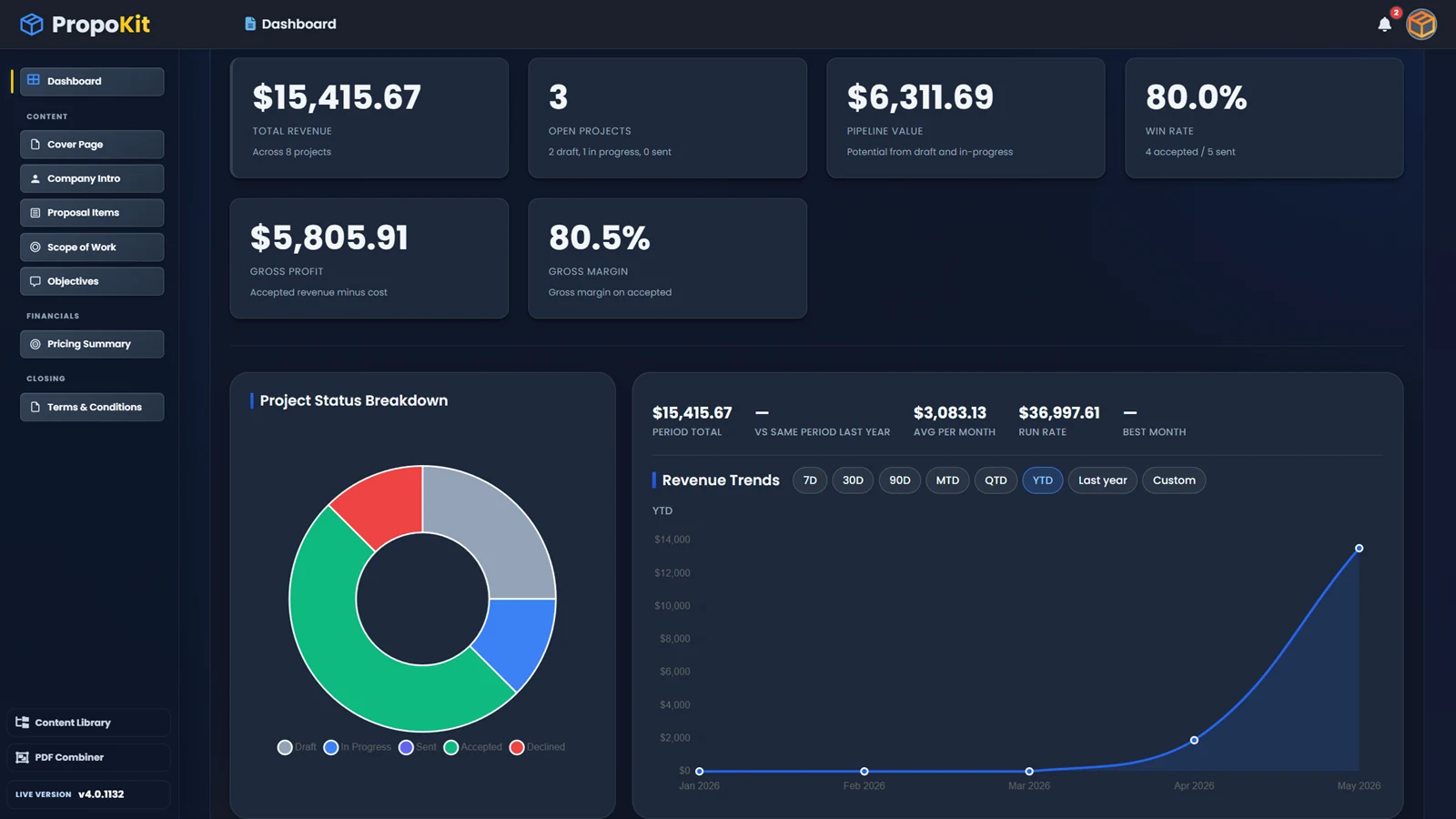
See what is draft, sent, accepted, declined, archived, or ready for QuickBooks prep.

What service businesses keep together in PropoKit

Customer information

Keep contact details and project relationships connected to the proposal workflow.

Project and job details

Capture the work request, notes, files, photos, scope, and next steps in one place.

Services and pricing

Reuse saved services, products, descriptions, quantities, and pricing details.

Proposal sections

Build professional proposals with Scope of Work, Objectives, Pricing Summary, and Terms.

Delivery and signing

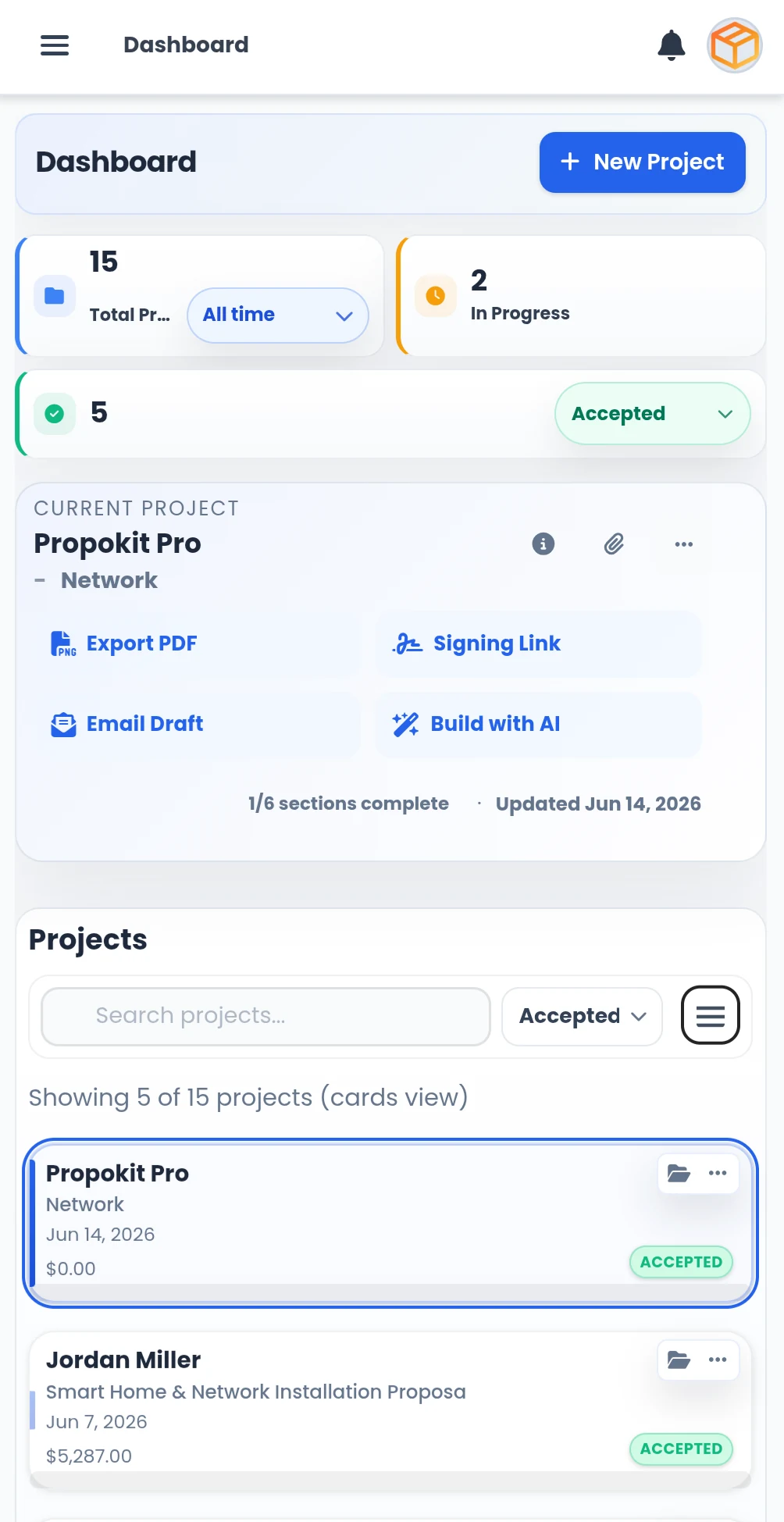
Export PDFs, create signing links, use email drafts, and track proposal versions.

Follow-up status

Know which proposals need action before the opportunity goes cold.

From customer request to accepted work

1

Create the project

Start with the customer, service request, project name, notes, and files.

2

Build the proposal

Use saved service details, products, pricing, scope content, and proposal sections to build a clean proposal.

3

Send and follow up

Export the PDF, share the signing link, create an email draft, and keep proposal status visible.

4

Prepare accepted work

When the customer accepts, PropoKit keeps the accepted work organized and ready for QuickBooks preparation when connected.

Built for repeatable service workflows

Service businesses often repeat the same types of work, but every customer and project still has its own details. PropoKit helps you reuse what should be repeatable while keeping each job organized.

Reusable service library

Save the services, products, descriptions, and pricing details you use often.

Consistent proposal sections

Keep Scope of Work, Objectives, Pricing Summary, and Terms structured across jobs.

Cleaner handoff

Accepted work stays connected to the customer, project, line items, and QuickBooks prep.

Less admin drift

Reduce the chance that files, notes, pricing, and follow-up end up in different places.

Good fit for many service businesses

PropoKit works best for service businesses that quote jobs, manage customer details, prepare proposals, track follow-up, and want accepted work ready before accounting begins.

Home-service companies

Manage customer requests, service details, pricing, and follow-up in one workflow.

Installation businesses

Keep files, product details, services, scope, and accepted work connected.

Maintenance and repair teams

Build cleaner proposals for service calls, repairs, upgrades, and recurring work.

Consulting and field-service teams

Connect deliverables, pricing, notes, files, and approval steps.

Specialty service providers

Use reusable service content while keeping each proposal specific to the customer.

Before accounting

Why PropoKit sits before QuickBooks

QuickBooks is where accounting happens. PropoKit is where the proposal workflow happens before accounting begins. Service businesses can keep drafts, notes, files, pricing decisions, proposal versions, and follow-up organized before accepted work moves toward QuickBooks.

In PropoKit

  • Customer request
  • Project details
  • Files and notes
  • Services and pricing
  • Proposal sections
  • PDF export
  • Signing links
  • Email drafts
  • Follow-up status
  • Accepted-work prep

In QuickBooks

  • Customers
  • Invoices or estimates
  • Payments
  • Accounting reports
  • Tax records
  • Bookkeeping workflows

Core for one owner. Pro for teams.

Core gives one business owner the complete proposal workflow. Pro gives teams the same workflow with teammate access, shared files, shared proposal library, imports, bulk updates, role controls, and more storage.

Frequently asked questions

Is PropoKit only for contractors?

No. PropoKit is also built for service businesses that quote jobs, manage customer details, prepare proposals, track follow-up, and need accepted work ready before accounting begins.

What kind of service business is a good fit?

PropoKit is a good fit when your work involves customers, project details, files, services, pricing, proposal delivery, follow-up, and accepted-work handoff.

Can I reuse my services and pricing?

Yes. PropoKit helps you save products, services, pricing details, descriptions, and scope content so you do not start from scratch every time.

Does PropoKit replace QuickBooks?

No. QuickBooks remains the accounting system of record. PropoKit manages the proposal workflow before accounting starts.

Can my team use it?

Yes. Pro is built for teams with teammate access, shared project files, shared proposal library, role controls, imports, bulk updates, and more storage.

Can customers sign proposals?

Yes. PropoKit supports signing links, PDF export, email drafts, proposal versions, and proposal status tracking according to your plan and access state.

Turn service requests into cleaner proposal workflows.

Keep customers, project details, files, services, pricing, follow-up, and accepted-work prep organized before QuickBooks starts.