See what PropoKit actually does for a contractor workflow.
Follow a real proposal workflow from first phone call to accepted job. PropoKit gives contractors and service businesses one place to manage the job before accounting: projects, customers, files, proposal sections, products and services, pricing, delivery, follow-up, accepted work, and QuickBooks preparation.
The product is built around the work that happens after a lead comes in and before the job moves to accounting.
Dashboard for active projects, status, and the current job.
Proposal builder with scope, objectives, items, pricing, and terms.
Delivery tools for PDF export, signing links, email drafts, and status.
Accepted-work preparation for QuickBooks when the job is won.
A product tour by screen.
These are the main product areas customers use to organize a job, build the proposal, send it, follow up, and prepare accepted work.
Dashboard
See every active project and pick up the current job fast.
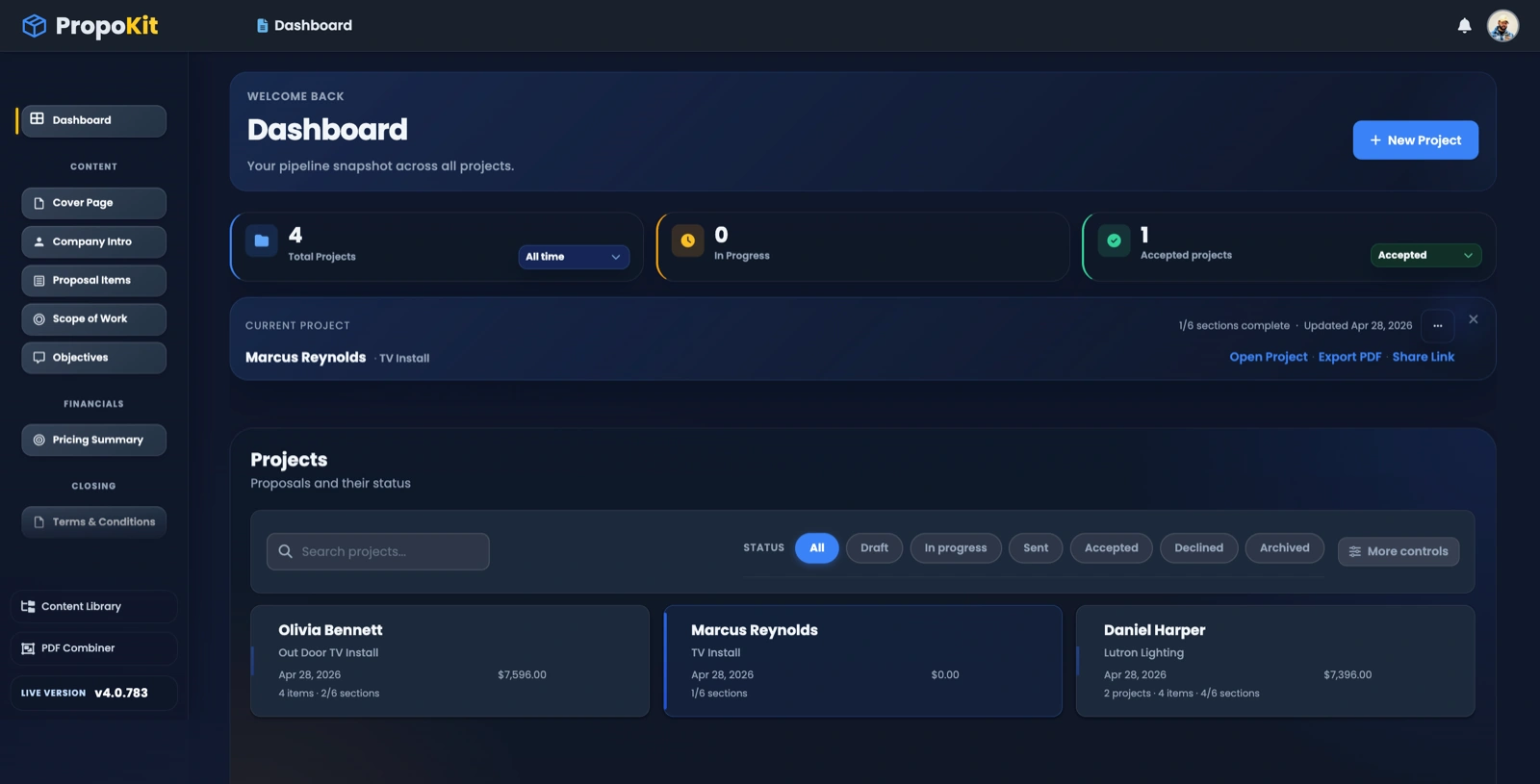
The dashboard shows project counts, status, attention items, the current project, and quick actions so a contractor can keep moving without searching through separate files or apps.
The dashboard keeps project status and the next action visible.
Proposal builder
Build the proposal from real project details.
PropoKit gives the proposal its working sections: Cover Page, Company Intro, Scope of Work, Objectives, Products & Services, Pricing Summary, and Terms and Conditions. Reusable items and AI-Assisted Drafting help create the first draft faster.
Scope of WorkObjectivesPricing SummaryAI-Assisted Drafting
Product result: the proposal is built from organized job data, not a blank document.
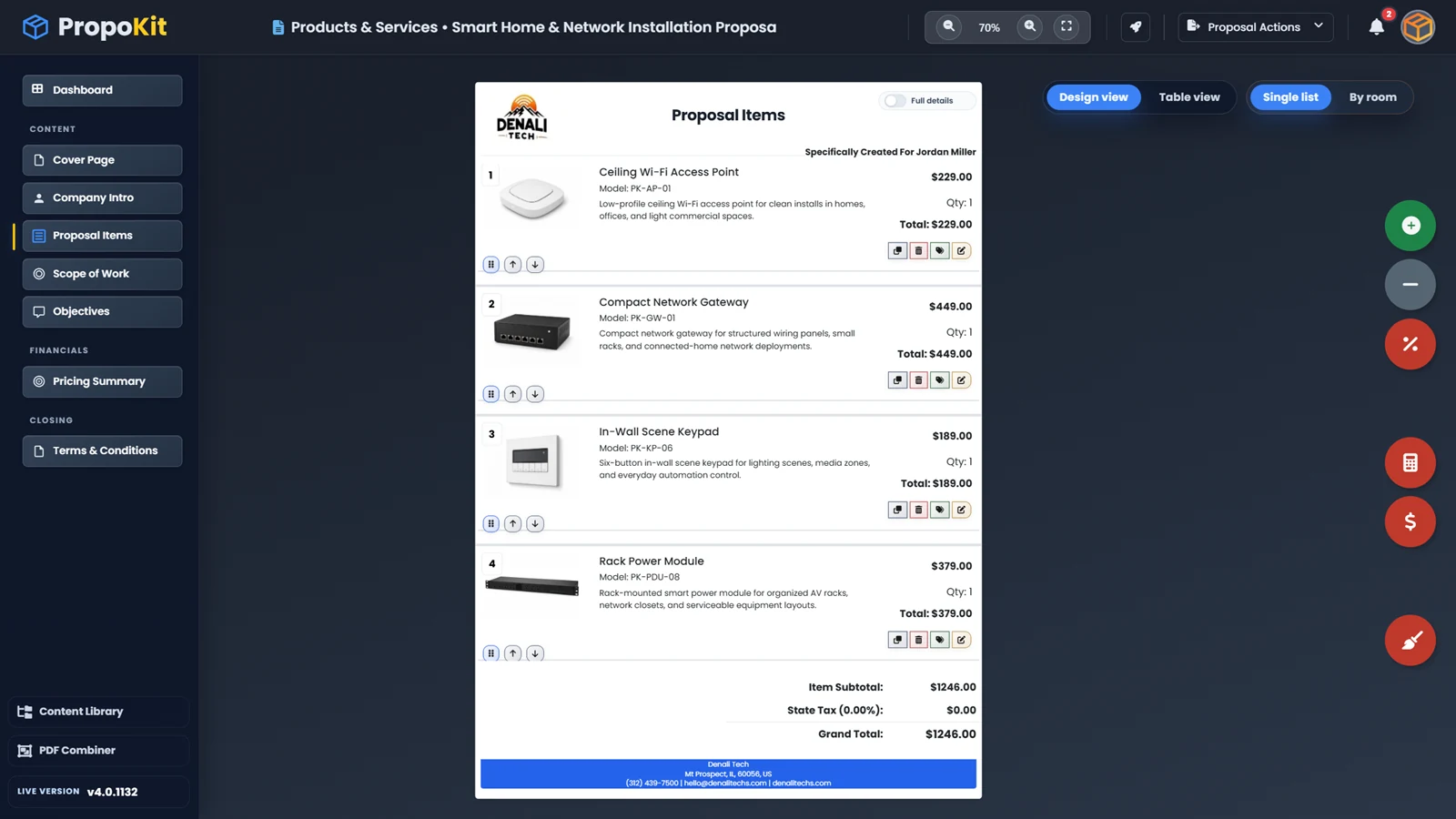
Proposal Items workspace
ProductsServicesPricingProposal actions
Proposal Items connect products, services, quantities, pricing, and actions in one workspace.
Delivery
What happens next?
When the proposal is ready, PropoKit keeps the delivery tools close: PDF export, signing links, QR codes, email drafts, Proposal Versions, and status tracking.
PDF exportSigning linksEmail draftsProposal status
Product result: delivery and follow-up stay connected to the same project.
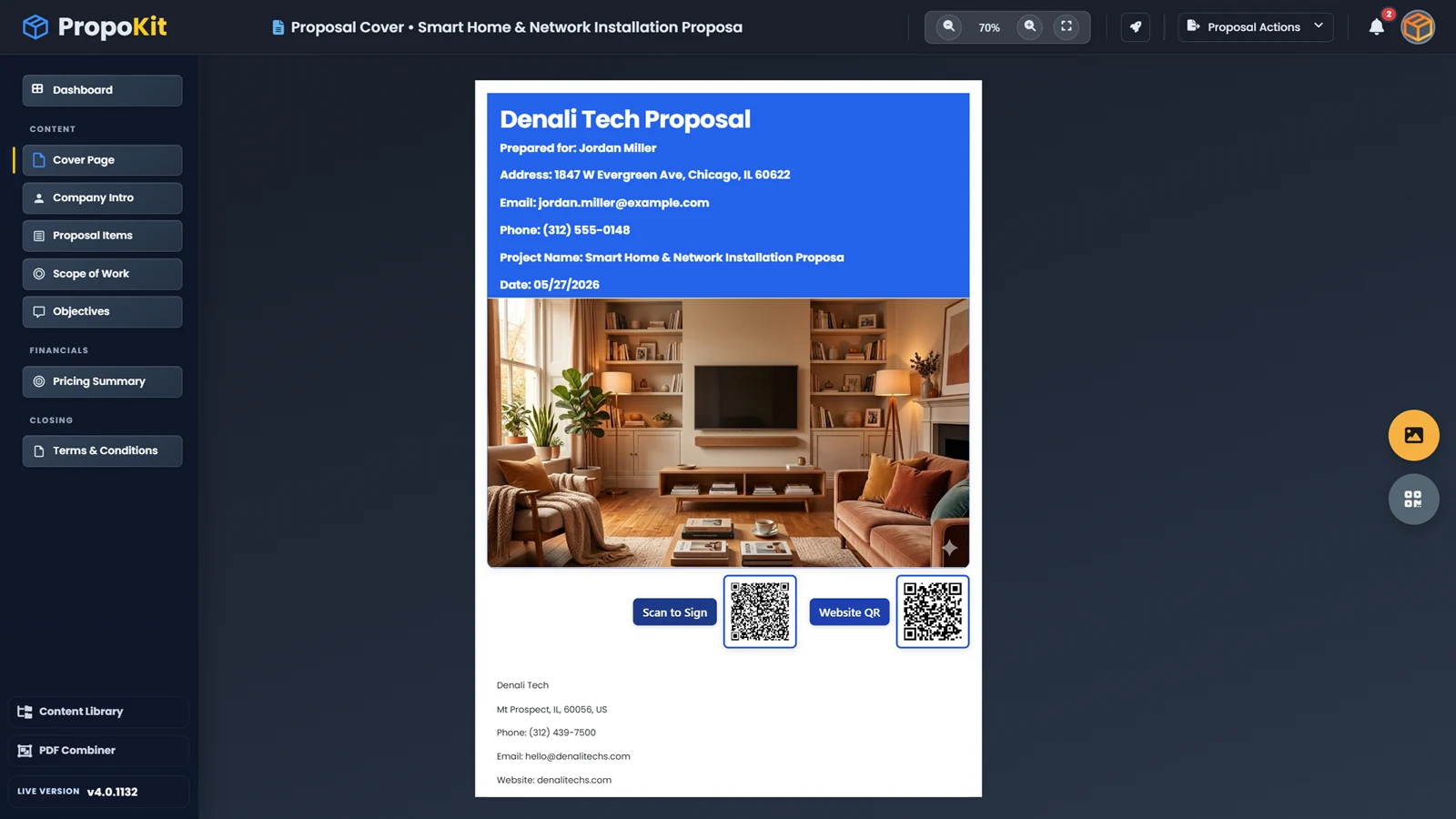
Client-ready delivery
PDF previewSigning QRWebsite QRClient details
Client-ready delivery tools keep the proposal moving after it leaves the builder.
QuickBooks preparation
Prepare accepted work for QuickBooks without retyping the job.
After a proposal is accepted, PropoKit can prepare the customer, address, line items, service details, cost, sell price, margin, tax, and payment context for QuickBooks when connected.
 PropoKit
 QuickBooks